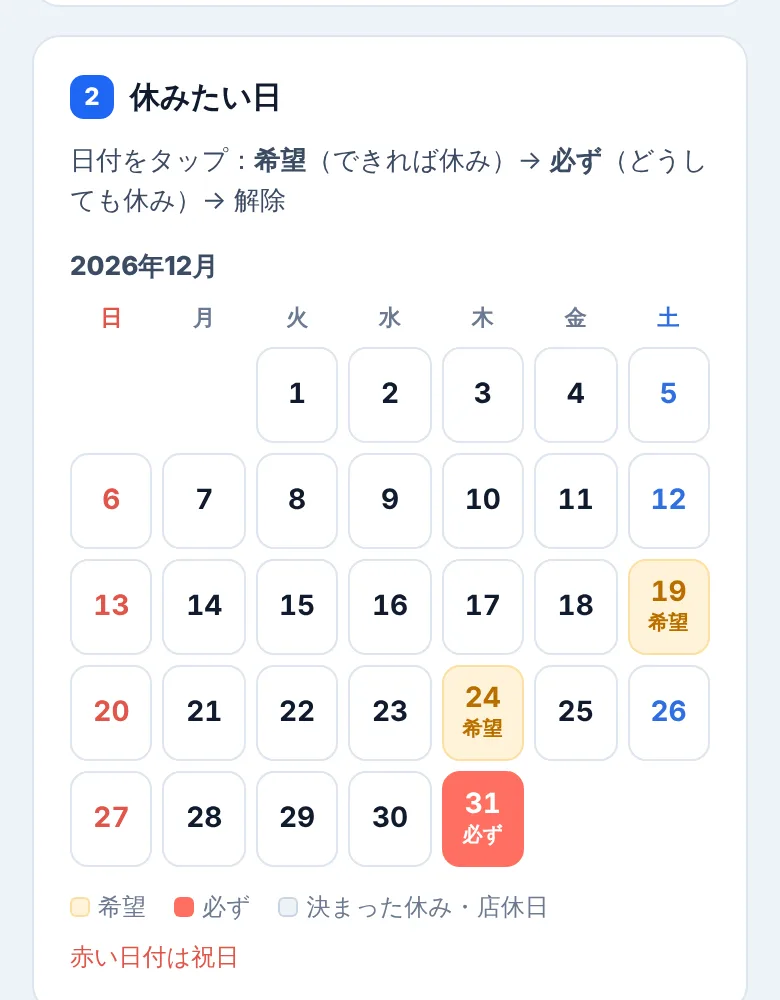
Day-off requests from a phone calendar
Post the form link in your staff group chat. Staff tap dates as Prefer or Must and send back the message it writes. The form switches to English on phones that aren't set to Japanese.
Auto shift scheduler
Add days off, streak limits and how many people each day needs, then press one button. Free, no sign-up.
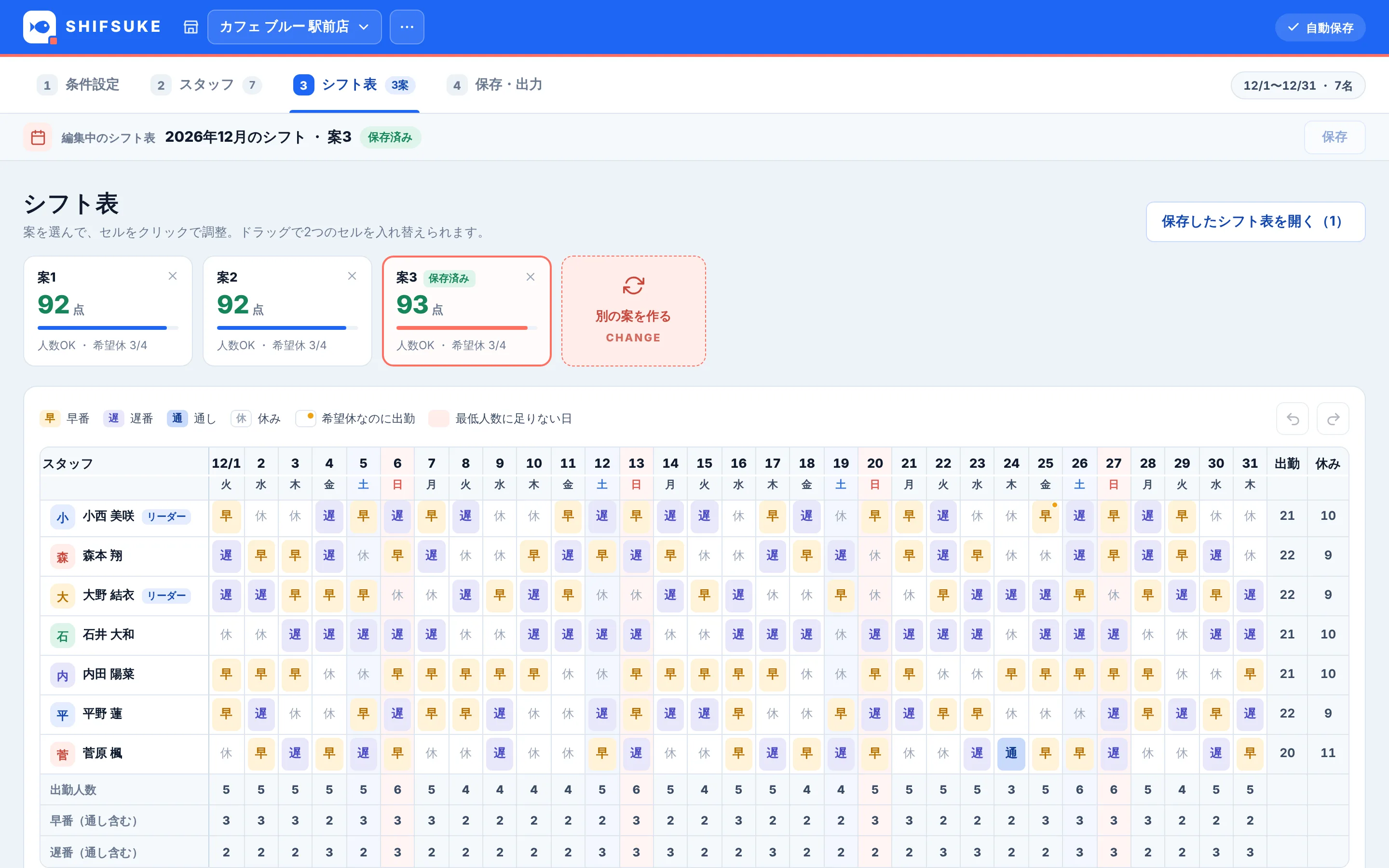
The app's screens are in Japanese. The day-off form your staff use is available in English, and Japanese public holidays are built in.
One person wants Sundays off, another can't do more than five days in a row, a student can only work three days a week, and Saturdays need four people. Instead of keeping all that in your head and redoing the table whenever a request arrives, compare ready-made drafts and adjust a few cells.
Post the form link in your staff group chat. Staff tap dates as Prefer or Must and send back the message it writes. The form switches to English on phones that aren't set to Japanese.
Each draft is scored out of 100 on headcount, roles and skills, early and late shifts, streaks and requested days off. Not happy with it? Press CHANGE for another.

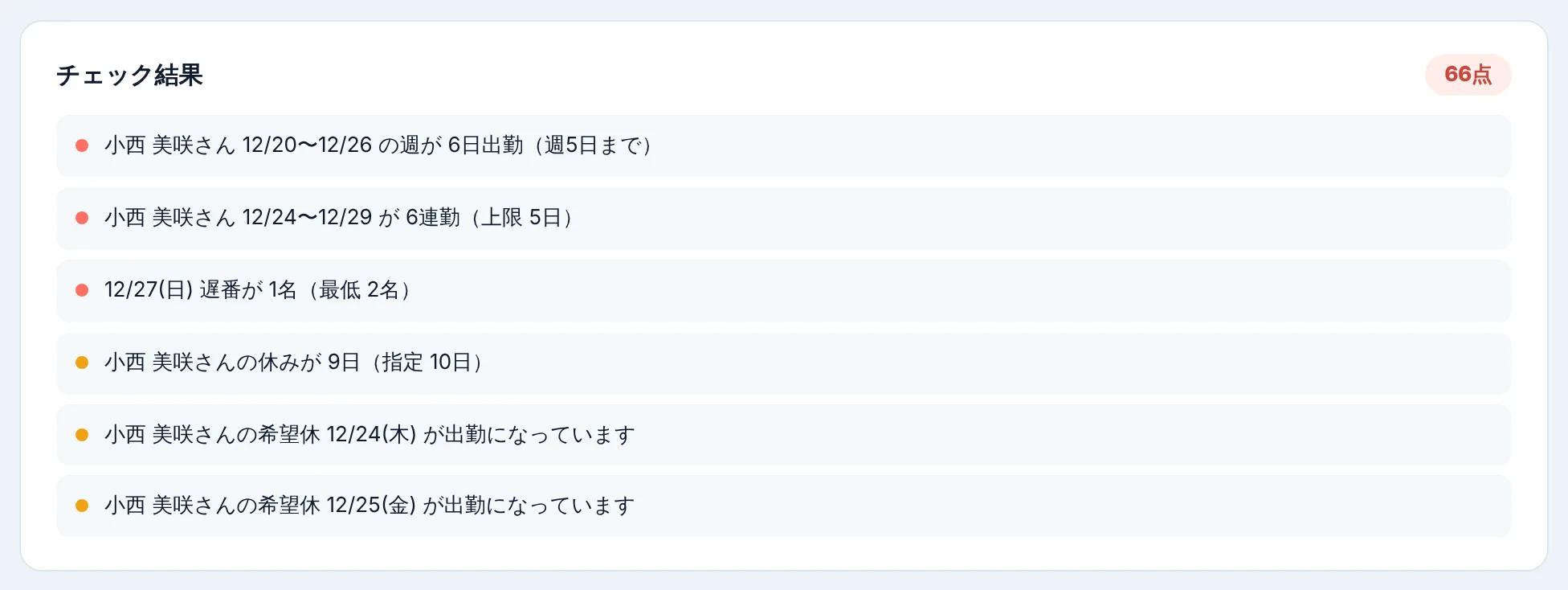
Days short of staff, streaks over the limit and requests that didn't make it are listed, and marked on the table cells too.
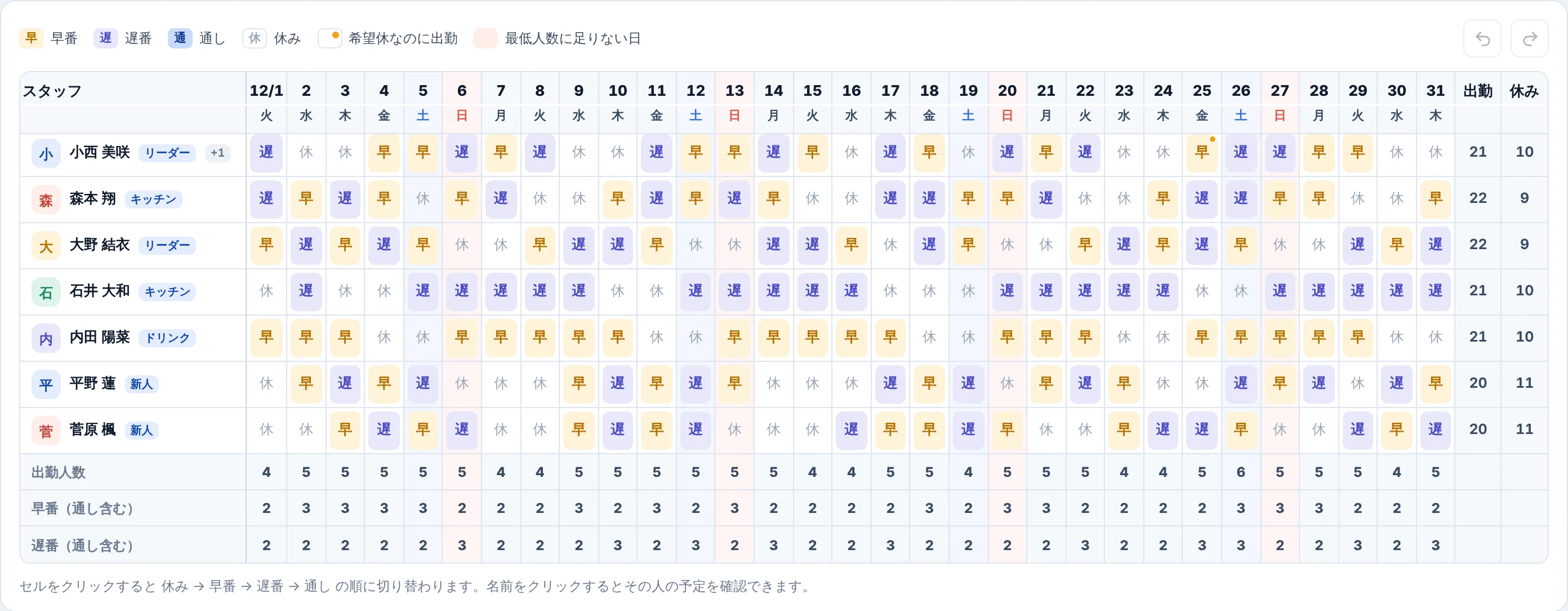
More people on weekends and holidays, a leader every day, at most two trainees a day, up to three days a week for students, and days the shop is closed.
Need time slots too? Set a minimum for early and late shifts. People who can only do one are respected, and the rest are shared out evenly.
Save to Excel, print it, paste a ready-made message into a chat app or email, or give each person a calendar file.
Click a cell to switch between work and off, or drag to swap two cells. Headcounts and the score update as you go, and Ctrl + Z undoes a mistake.
The period, how many people each day needs and the limit on days in a row. You can also set numbers per weekday and holiday, closed days, role and skill rules, and early and late minimums.
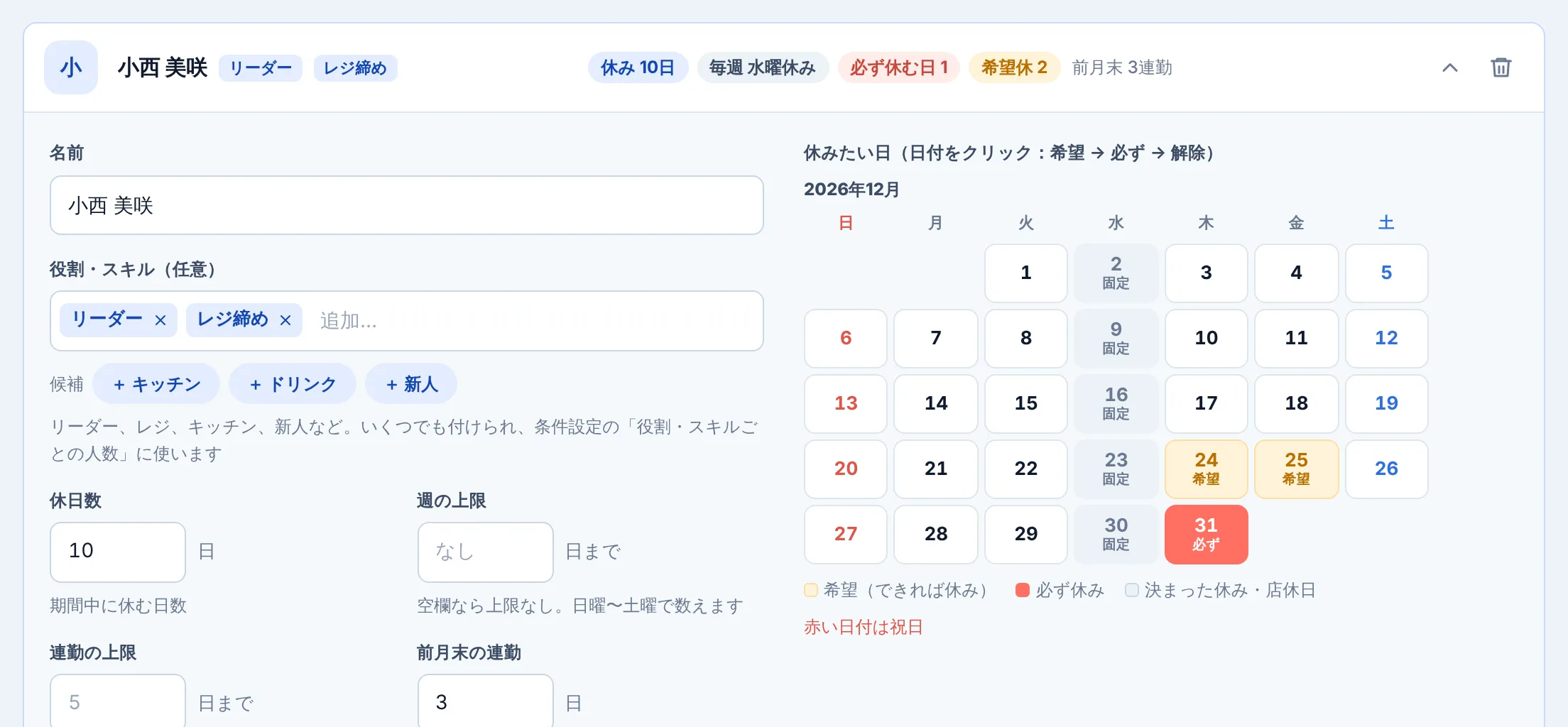
Days off for the month, fixed days off, a weekly limit and the days each person would like off, on a calendar. Import a list from CSV, or take in what staff send from the day-off form.
On the schedule screen, press 新しく作る (“create new”) to see the best of dozens of combinations. Press CHANGE for another draft, touch it up, save it, and share it through Excel or a chat app.
Names and day-off requests are stored only in the browser you use, and the app never sends them to us or anyone else. No accounts, no analytics, no ads. Back everything up to a file and restore it on another computer.
Read the privacy policyIt's free. Everything on this page is free to use. We're preparing a paid Pro plan with things like collecting requests and wage checks, but what's here today is planned to stay free after Pro launches (with up to 20 staff per shop).
The app's screens are in Japanese. The day-off form your staff use is in English, and switches automatically on phones that aren't set to Japanese. The message it writes for the manager includes Japanese too.
Japanese public holidays are built in, including substitute holidays, and are always on. Outside Japan, leave the holiday (祝) headcount empty so those days count as ordinary weekdays, and add your own holidays as special days to set the headcount or close the shop.
Up to 62 days (about two months) at a time. For now you can add any number of staff. Once the paid Pro plan launches, the free version will cover up to 20 staff per shop and Pro up to 30.
Yes, but building and adjusting the table is more comfortable on a computer or tablet. The staff day-off form is made for phones.
In your browser. Clearing the browser's data deletes it as well, so use the backup in the shop menu to save a file now and then. You can restore it on another computer.
It builds the draft that meets as many rules as possible and lists the ones it couldn't in the check results. Use that as a guide when you adjust headcounts or days off.
It's shift plus suke. Suke is both the start of sukejūru, the Japanese way of saying schedule, and 助, Japanese for help. Say it shi-fu-su-ke.
Send it through the contact form. Anything you notice while using it is welcome.
Free, no sign-up. Load the sample staff and see it work in seconds.
Try it free